Understanding the Fresh-Start, Trainer, Participant, and Standalone Machines
DaDesktop gives you a cutting-edge training environment that offers cloud-based machines for courses, along with straightforward admin tools to manage each course's desktops.
To make that happen, DaDesktop relies on several similar yet distinct types of desktop machines.
Here's a rundown of each one.
Fresh-Start Machine
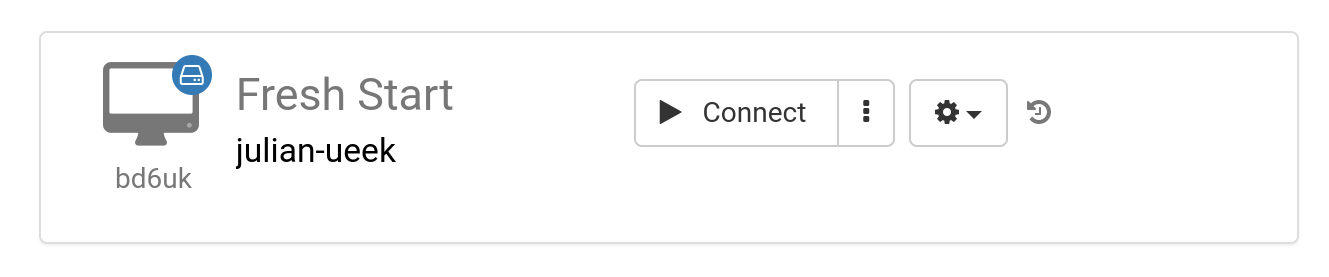
The 'Fresh-Start' machine is where the trainer builds and refines all the course content. Once ready, that machine is duplicated to each participant's desktop, fully prepared for the training. Think of it as a master image you can always reset to—if anything goes wrong on a trainer or participant machine, you can easily revert.
Trainer Machine
The 'Trainer' machine is what the instructor uses to deliver the course content to participants. During the training, this machine will naturally drift away from the Fresh-Start state because the trainer will install, configure, and run software and libraries tied to the subject.
If multiple trainers are leading the course, then there will be multiple Trainer machines.

Participant Machine
Each participant gets a 'Participant' machine for hands-on practice, letting them install software, configure settings, and work through exercises under the trainer's guidance.

Usually, the Fresh-Start, Trainer, and Participant machines are automatically removed shortly after the course wraps up. That's why there's another machine type not tied to a specific course—one you can keep as long as you need, known as the 'Standalone'.
Standalone Machine
A 'Standalone' machine isn't necessarily part of any course. As the name implies, it stands on its own—usable before or after a course, or entirely independently of one. This makes it especially versatile.

Here are some common reasons you might spin up a Standalone desktop:
- Preparing training materials that you can reuse over and over, even outside a course, or keep handy whenever you need them.
- When you want a flexible machine—maybe with a different OS like Linux or Windows—to safely try out new ideas.