Cloud Virtual Desktops
for Remote Training
Enable frictionless virtual IT training with zero interruptions, minimal technical friction, and all the resources your team requires to accelerate learning and maintain a competitive edge.
 Live Streaming
 Multi-User View
 Video Conference
 Session Recording
 Self-Study Review
















































All the essentials for
Modern IT Training

Reusable Desktop Templates
Set up your training environment a single time. Deploy identical desktops for all participants and modify resources (CPU, GPU, RAM, and Disk) as requirements change.
Integrated Video Conferencing
Instructors can teach, collaborate, and communicate within a unified workspace, eliminating the need to switch between separate applications.
Automatic recordings + Self-Study
Record all desktop, audio, and video activities, making every session immediately accessible for review and independent study.

Interactive training rooms
Oversee each participant's virtual desktop, offer immediate support, and ensure the group stays aligned with learning objectives.

Snapshot & Restore
Preserve, reverse, and redeploy lab settings with a single click.
Live Streaming
Conduct live training sessions for large audiences using integrated video streaming and real-time chat capabilities.
Designed for Every Industry
Relied upon by organizations in diverse sectors for practical, hands-on technical education.
 Corporate IT Universities
 Bootcamps
 Certification
 Government
 Healthcare
How DaDesktop Works
Establish your virtual training labs in only a few simple steps.
Create a Template
Develop and set up your training environment.
Launch Training
Provision virtual desktops in a matter of seconds.
Connect Participants
Participants can join labs from any device.
Monitor & Manage
Track performance and guarantee successful outcomes.
Why DaDesktop?

Instant Virtual IT Labs
Build a single, fully configured environment and deploy identical cloud desktops for every participant in seconds.

Everything in One Platform
Combine virtual desktops, video, chat, and recordings on one platform, freeing instructors from managing multiple disparate tools.

Scale Without Complexity
Engineered to accommodate everything from intimate workshops to large-scale live streams with hundreds of users.
Better Experience
Global servers ensure rapid, low-latency desktop performance regardless of location.
Ready-to-Launch Desktops
Ready-to-run environments with preinstalled software.

Hermes Agent
Hermes Agent with Ollama and Qwen 3.8 27B preinstalled and configured for local AI agents.
Launch Desktop
Debian 13
A clean Debian 13 desktop with a stable, reliable foundation for everyday use.
Launch Desktop
Ubuntu 26.04
A clean Ubuntu 26.04 desktop with common tools preinstalled and ready for everyday use.
Launch Desktop
Kali Linux
Kali Linux with a standard set of security and penetration-testing tools already installed.
Launch DesktopSee the full list: View all templates
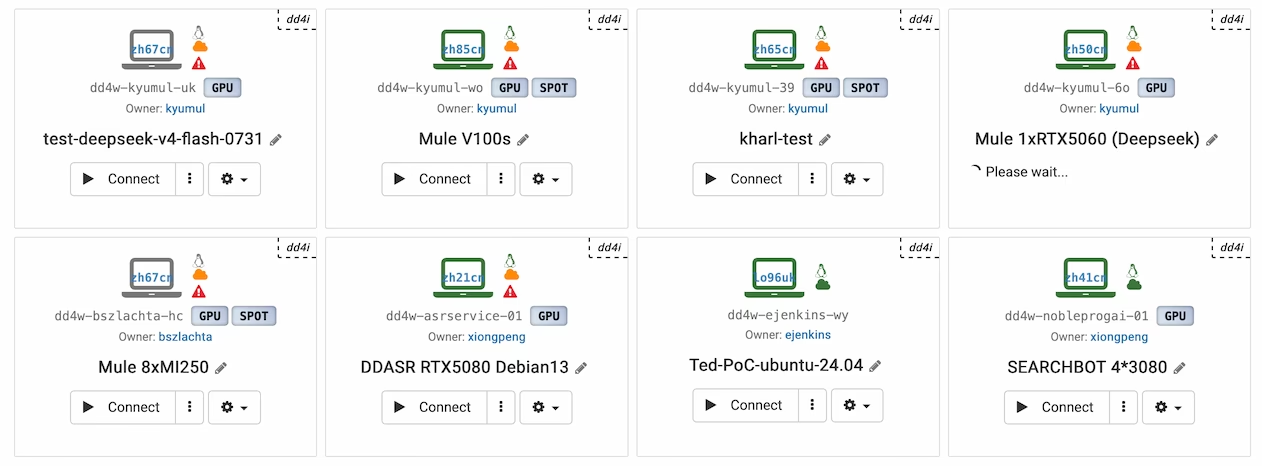
GPUs & Spot Instance.
Whether for AI training, machine learning, 3D design rendering, CAD, video editing, engineering simulation, or scientific computing, our cloud infrastructure is designed to manage intensive workloads at any scale.
- Select from a broad array of NVIDIA and AMD GPUs.
- Securely access GPU-enabled desktops from any location.
- Adjust resources up or down to align with current workload demands.
DaDesktop vs. Other Platforms
A comparison of DaDesktop with a standard virtual lab
 1×
1× Up to 10× higherSimpleComplexOn by defaultNot AvailableInstructor-led trainingSelf-studyFully supportedRarely offered20+A few
Simple, Transparent Pricing
Four ways to pay for DaDesktop
Public Cloud
Pay only for the days a desktop actually runs. No commitment, no idle costs.
- 8 GB RAM, 8-core CPU, 50 GB SSD
- +€3 per extra 8 GB / 8 cores / 50 GB
- +€1 a day for Windows, or free with your own licence
- Billed per calendar day, not per hour
Private Server
A whole server to yourself, so your cost stays fixed no matter how many desktops you run.
- Unlimited desktops within the server's capacity
- No per-unit or per-desktop counting
- Predictable monthly spend
- Sizing agreed with our team
Reseller & Volume
Discounts for partners integrating, reselling or buying DaDesktop at scale.
- Integrate DaDesktop into your own product
- Resell under your commercial terms
- High-volume purchasing
- Discounts for larger volumes
On-Premise
Run DaDesktop inside your own data centre, on your own hardware and network.
- Deployed on your infrastructure
- Data never leaves your environment
- Priced per CPU core
- Suits regulated and air-gapped setups
Not sure which option fits? Contact Us
Start Your Free Trial Today
Run seamless virtual IT training with cloud-based labs, no downtime, just scalable learning that works.