Overcommitting Coefficients
This capability is available solely within DaDesktop Private Server (DDPS) and DaDesktop On-Premise (DDOP).
As courses become more complex and demand greater processing power—particularly those involving nested virtualization or supporting a large number of trainees' desktops—you might occasionally encounter an error like this one :-

The alert specifically points to CPU, memory, or disk space issues. If this happens, your first step should be to relocate your machine(s) to a less heavily loaded server or data-centre in Spain, or to scale back resource requirements wherever feasible.
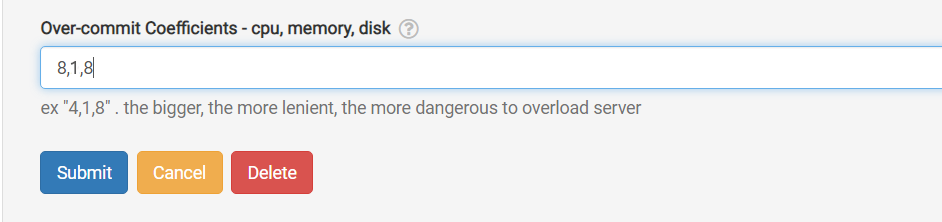
Should neither option be possible, and you’re only slightly exceeding the permitted maximum number of units, a straightforward workaround is to temporarily 'overcommit' one or more of the CPU, memory, or disk coefficients. You can do this via the GUI as shown below.
Navigate to /da/admin/servers/all, click Edit next to your server, and then scroll down to the relevant section.
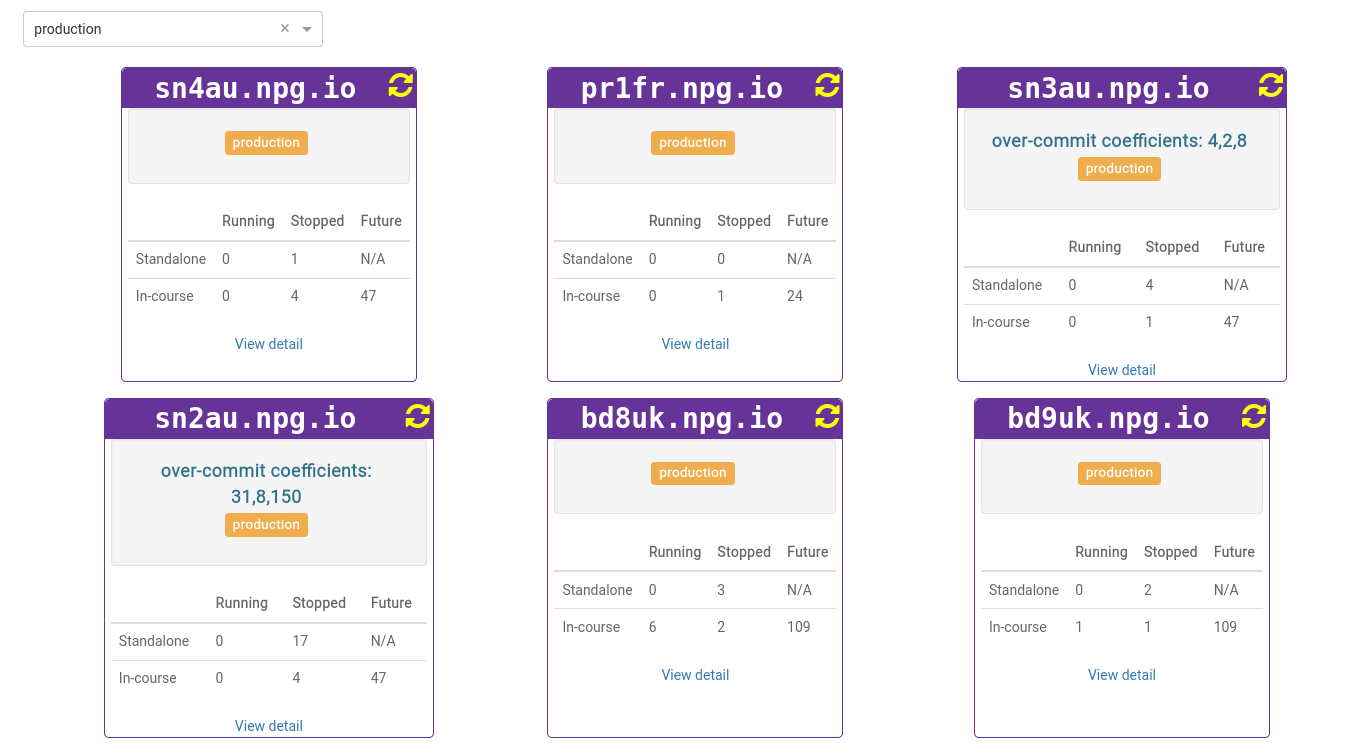
The server list also displays any servers currently using overcommitted coefficients. This comes in handy when you need to clear these after a course wraps up, allowing you to reset the coefficients to their default values.
Any adjustments you make should be considered a temporary fix and not a permanent solution to lacking resources. Changes made to allow a course to proceed must be rolled back once the course is over.
DaDesktop On-premise Requirements
The overcommitting function is made possible by tpapi, which is part of the DaDesktop codebase. At present, tpapi is compatible only with Python 3.12, so the operating system needs to be at least Ubuntu 23.10.