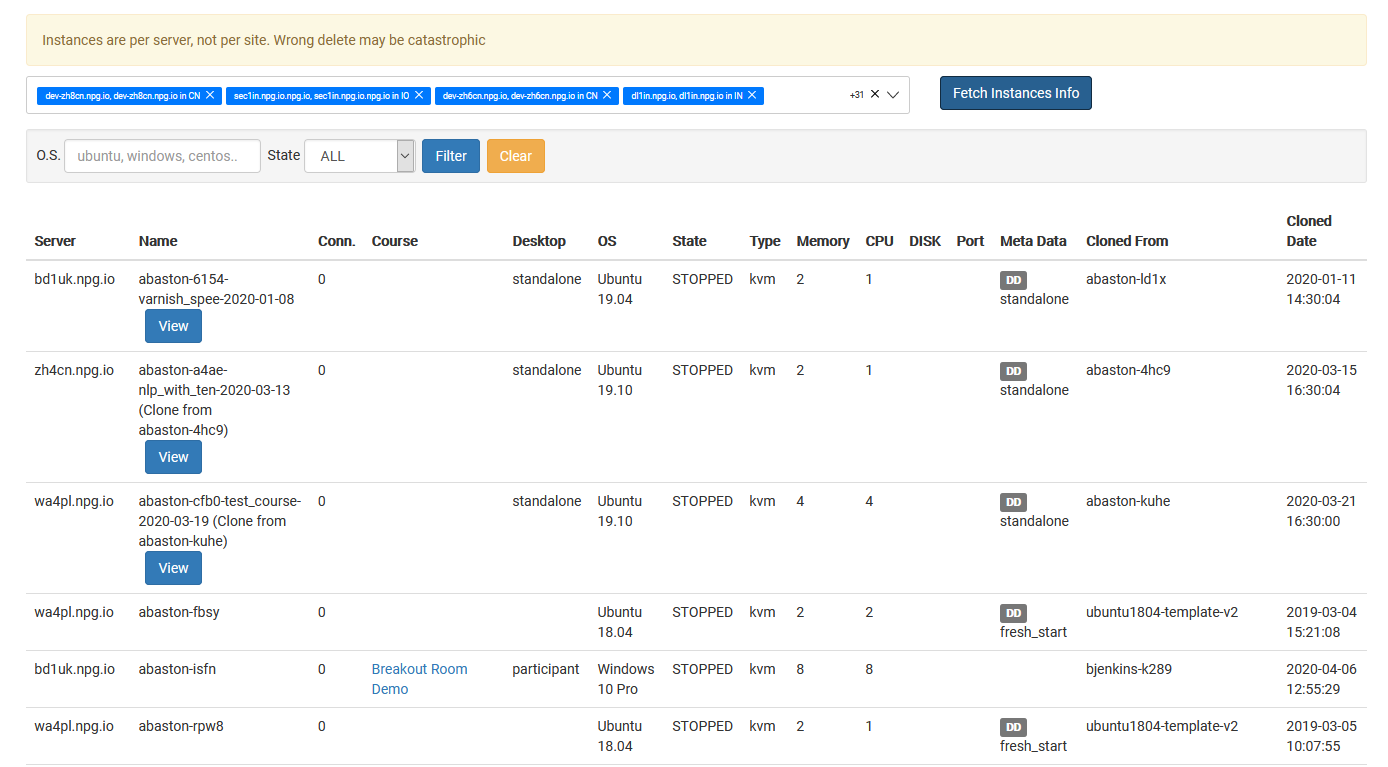
Overseeing All Desktop Instances
Super Administrators can use the Managing All Desktop Instances page as a unified workspace to oversee and control all desktop instances running on the platform. It delivers a comprehensive snapshot of every desktop, no matter which organization, course, or server it's tied to, helping you keep an eye on system utilization and carry out administrative duties across Spain.
Actions You Can Take
- See every desktop instance on a single page.
- Use search and filters to locate particular desktops in no time.
- Review the current status and specifics of any desktop instance.
- Take administrative action on chosen desktop instances as needed.
- Keep track of desktops spanning multiple organizations, servers, and data centers from one central spot.
Who Can Use This Feature
The Managing All Desktop Instances page is a Super Administrator-only feature. It’s designed for admins who oversee and manage desktop instances across the whole DaDesktop platform, rather than being limited to a single organization or course.