Running Your Desktop as a Chrome App
A frequent issue when accessing a desktop environment inside a browser tab is that certain keyboard shortcuts—like Ctrl+W or Ctrl+F4—get captured by the browser, preventing the desktop from receiving them.
A straightforward workaround is to turn the page into a standalone app using Chrome (or any Chromium-based browser).
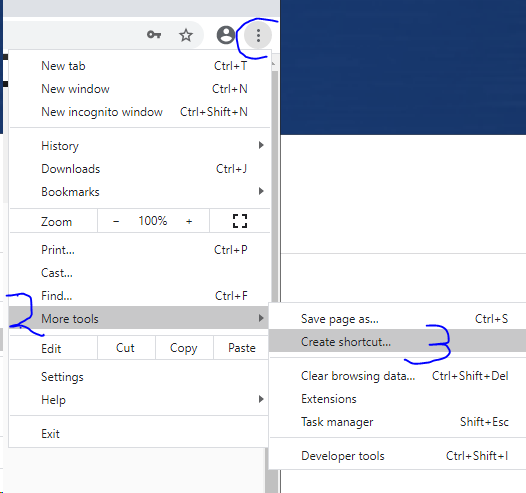
1. Go to More Tools and then select "Create shortcut" to place an icon on your computer desktop.
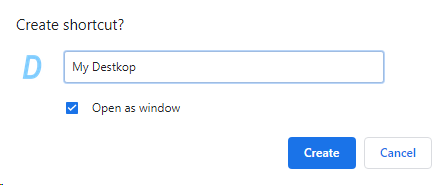
2. Tick the "Open as window" checkbox when you’re asked how to create the shortcut.
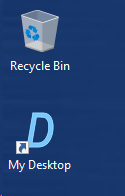
3. Launch your new app by double-clicking the desktop shortcut you just created.
4. Now you can use the application and all your keyboard shortcuts will function as expected.